Orion Blue Controls
Keyboard, mouse, and gamepad basics for fishing, menus, and village life.
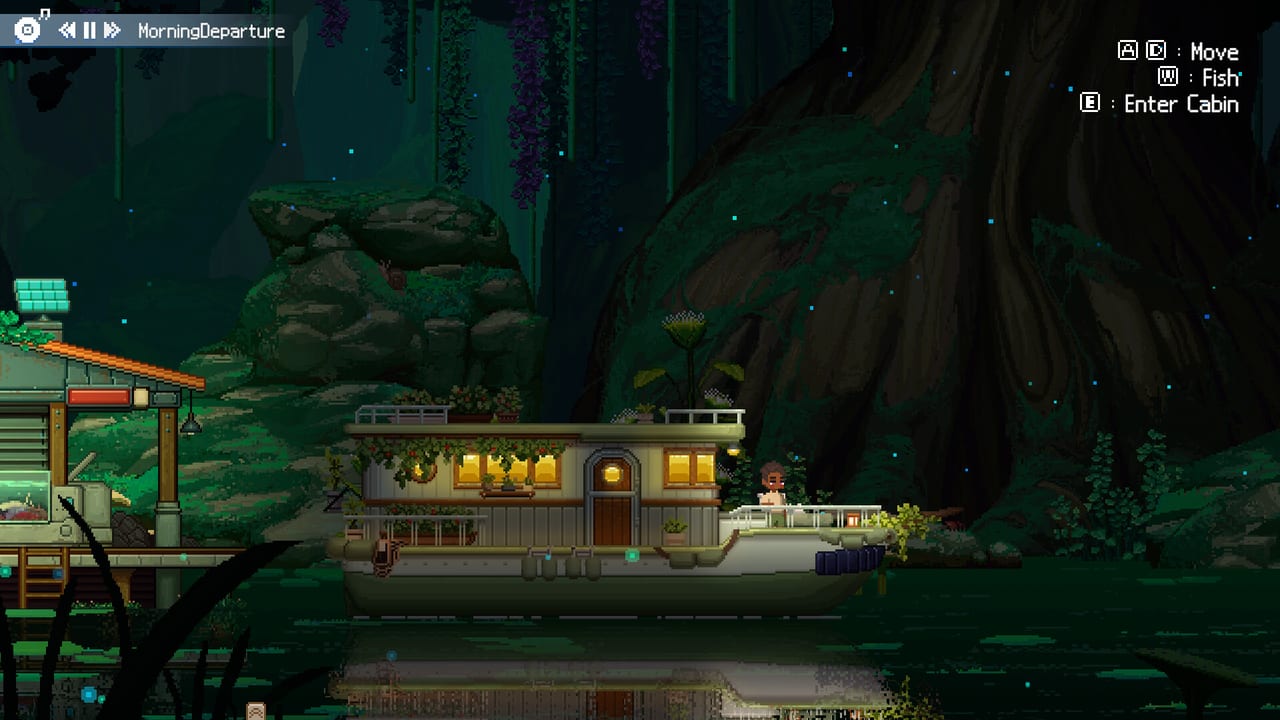
Orion Blue is a gentle game, but unclear bindings still waste the first hour. This controls guide summarizes how movement, interaction, inventory, and fishing inputs work in the Steam demo builds, including the controller support EXLIX shipped during the playtest/demo patches. Use it beside Getting Started and How to Fish.
Default expectations (mouse & keyboard)
Exact labels can shift with patches, but demo play consistently relies on:
- WASD / arrow keys — move through the settlement and onto docks.
- Mouse — aim UI, select inventory slots, confirm shop purchases.
- Left click — primary interact and the fishing hook / tire actions during a fight.
- Inventory key — open bags to equip rod, line, and bait (check Settings if rebound).
- Interact / confirm — talk to residents, open doors, and use shop counters.
If fishing does nothing, nine times out of ten the issue is unequipped gear rather than a broken bind.
Fishing input timing
During manual fishing:
- Cast with the confirmed fishing action.
- Left-click when the bite lands to set the hook.
- Click rapidly during the tire phase.
- Release when the fish surges opposite or the line turns red.
This rhythm is documented in EXLIX update notes describing the reworked tug-of-war. Players who dislike mashing can enable Simple Fishing in Settings.
Controller support
Update 0.1.39 added full Xbox-style gamepad support (DualShock / DualSense also appear on Steam feature lists). Official defaults include:
- Left Stick — move character / boat
- Right Stick — move cursor
- A — select / interact / cast while ready / reel during fights
- B — back / ready or cancel fishing / let out line
- Y — open bag
- Start — menu (Esc equivalent)
- LB / RB — previous or next quickbar slot; LT / RT — switch UI tabs
- D-Pad — jump quickbar pages; flip furniture left/right when placing
After connecting a pad: confirm it in Settings, equip rod/line/bait with the controller UI, then practice one fishing fight before a long cruise. Mash prompts show a flashing controller button instead of the mouse.
Menus you will open constantly
- Inventory / equipment — rod, line, bait, gifts.
- Crafting / furniture — place and rotate decorative pieces.
- Map / area travel — move between fishing regions as they unlock.
- Settings — Simple Fishing, audio, language (14 languages ship at launch).
Learn the shortest path from gameplay to inventory; equipping bait mid-trip is a common demo stumble.
Accessibility and comfort
- Enable Hold to Repeat Input in Settings (update 1.1.15) if rapid clicking during tug-of-war is tiring — hold the button instead of mashing.
- Press any button during the catch celebration to skip it.
- Use Simple Fishing to reduce click intensity.
- Use Idle Mode when holding input is tiring.
- Lower music separately from SFX if you want bite cues clearer.
- Fullscreen on a second monitor works well for companion play given the light system requirements.
Language and UI
Orion Blue supports English, French, German, Spanish, Japanese, Korean, Portuguese (Brazil), and more at launch. Switch languages in the game settings if the Steam overlay language differs from in-game text. This wiki mirrors EN/FR/DE/ES navigation for the same audience.
Troubleshooting input
Cannot move after a cutscene: click back into the game window; overlay focus steals input.
Cannot change bindings outdoors: some demo builds limited remapping contexts — try from home/menu scenes, and check patch notes on Updates.
Controller connects but fishing fails: equip gear with the pad UI, then recast.
Click spam hurts: enable Simple Fishing or idle.
Practice routine
Spend five minutes only on movement and talk prompts, five minutes on inventory equip, and five minutes on a single fishing fight. Then continue the getting started checklist. When EXLIX ships new binding options after launch, we will revise this page and call out changes beside official links.
Clear controls make the ocean quieter. Set your inputs once, equip your kit, and let the cozy loop take over.
Frequently Asked Questions
Quick answers for demo and launch-week players.
Does Orion Blue support controllers?
Yes. Demo patches added full gamepad support, and Steam lists DualShock/DualSense-related features.
What click do I use when a fish bites?
Left-click to hook, mash left-click to tire, and stop when the line turns red or the fish runs hard against you.
Where is Simple Fishing?
In Settings. It lightens the fishing minigame if you prefer a calmer input style.
Why can’t I fish after buying a rod?
Equip the rod, the line, and bait in your inventory first.